Software company
product
I’m a Trader\\ \\ I’m interested in trading forex instruments \\ \\ or buying a prop challenge.\\ \\ Continue



For better user experience and content
Tell us who you are?
I’m a Broker / Prop Firm
I need a Trading Platform for my
Forex Broker business or Prop company.
Continue
[I’m a Trader\\
\\
I’m interested in trading forex instruments \\
\\
or buying a prop challenge.\\
\\
Continue](https://match-trader.com/download/)
## Join our Discord!
Join our Discord community for more information,
including new releases and updates. This is also the best
place to inform us about any issues if they occur or
share your suggestions.
We appreciate your feedback!
# What is Match-Trader?
Match-Trader is a trading technology used by registered Forex Brokers and Prop trading firms to provide trading services on live and demo accounts.
As the creator of the Match-Trader technology, **we are not a broker and do not provide trading services.** The content of this website is for informational purposes only.

**Match-Trader is NOT a Broker/ Prop.**
We do not hold funds or manage individual traders’ accounts. The Match-Trader platform can be purchased by registered companies only! Each company, be it a Broker or Prop, manages its platforms independently.
**Broker/ Prop is a company providing trading services.** They manage your trading account, collect deposits/ sell challenges, and manage payouts. Each Broker decides what trading instruments they offer. You can open a trading account only with a Broker/Prop

As a **Trader**, you are a Broker/Prop client who uses the Match-Trader platform to trade financial assets on live or demo accounts. If you need information about the instruments or support regarding your trading account, **you must contact your Broker/Prop.**
## Download app from the Broker’s website
Every Broker and Prop firm has its own individual Match-Trader app. If you have trading accounts with two Brokers – and both Brokers have the Match-Trader platform – you will see two apps on your device!
The Match-Trader platform is always accessible to the user – regardless of the device – all you need is an internet connection. You can access it through a browser
by using the link on the Broker’s website and then adding a shortcut to
the home screen to use the platform like any other application.
Match-Trader platform is a Progressive Web App ensuring that a trader’s account
is synchronized across devices in real time and can be always accessed via a link.
[Find your Broker](https://match-trader.com/download/#find-your-broker)
[How to “install” App?](https://match-trader.com/download/#find-your-broker)
## Find your Broker (we are not one!)
If you haven’t selected a Broker yet but want to use Match-Trader,
you can contact one of the Brokers/Props offering our platform.
### FundingPips
### Maven
### FundedNext
### GBEbrokers
### E8
### Blue Guardian
### Moneta Funded
### Finveo
### EquityEdge
### Goat Funded
### Born2trade
### Pivex Funded
### Orion Funded
### Crypto Fund Trader
### Peaksight
### Top One Trader
### City Traders Imperium
### FXCentrum
### Fortuno Markets
### Quick Trade World
### Alpha Edge Pro
### My Crypto Funding
### My Funding Account
### Instant Funding
### Pipster
### NYS Markets
[Load +18](https://match-trader.com/download/#)
### Forex News for traders
Get insider access to Forex prop trading firms with independently verified performance reviews, real user ratings and regularly updated live testing results.
[Learn more](https://forexpropreviews.com/)
## Experience the new Match-Trader interface
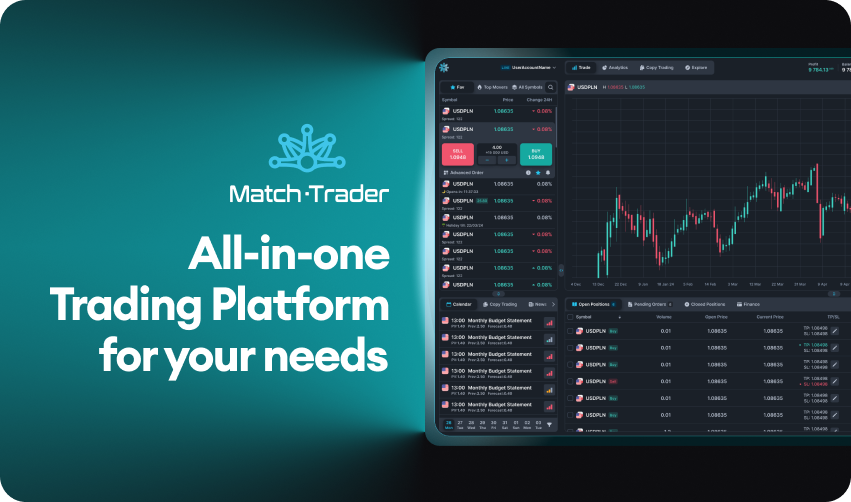
Get ready to experience Match-Trader like never before, with an all-new interface designed around your trading style.
Customise your trading environment with an adjustable layout, switch effortlessly between dark and light modes and dive deeper into trading insights with the new Analytics and Explore tabs.
Enjoy precision with advanced drawing tools, quick drag & drop TP/SL adjustments
and % PnL for each Open Position—giving you full control exactly where you need it.
Please note that this is not the final version, with important features coming soon.
Try platform demo

- [FAQ](https://match-trader.com/download/#FAQ)
- [Video Tutorials](https://match-trader.com/download/#platform-video-tutorials)
- [Tools for traders](https://match-trader.com/download/#marketplace)
## FAQ
* * *
### [I bought a challenge from a Broker, how do I log into my Match-Trader account?](https://match-trader.com/download/\#)
**After purchasing a challenge, follow the instructions provided by your Broker.** In the materials shared by your Broker after the purchase, you will find a link to log into the Match-Trader platform.
It is crucial to log in using only this link because your Broker gives you access to their specific server, where your account and all necessary settings are located.
Please note that you will not be able to log into your live account using the Demo version of the platform showcased on this website or the app in the App Store under the name Match-Trader. These are for demonstration purposes only, and live account trading is impossible. To start trading using the Match-Trader platform, you need to open an account with one of the Brokers that offer our platform.If you encounter any issues with logging in, please reach out to your Broker’s support team.
### [Where can I download the Match-Trader on my mobile device?](https://match-trader.com/download/\#)
To download the Match-Trader platform shortcut on your mobile device, please follow these steps:
- **Log into your account:** Use the link provided by your Broker during the registration process.
- **Broker’s role**: Remember, we are a technology provider, not a Broker. If you face any issues with logging in, please contact your Broker’s support team.
- **Add the platform shortcut:**
**IOS device:**
Tap the share icon (located at the bottom of the screen).
Scroll down and select “Add to Home Screen.”
Follow the instructions to add the Match-Trader shortcut to your home screen.
**Android device:**
Tap the share icon (located at the top of the screen).
Select “Install App.”
Follow the instructions to add the Match-Trader shortcut to your home screen.
- **Access the App:** The Match-Trader icon will now be available on your home screen, providing quick and easy access to your trading account. This shortcut acts just like a regular app, ensuring your account is always accessible.
For detailed instructions on how to add the app shortcut, please visit the video tutorial: [How to download the Match-Trader app shortcut on your phone.](https://twitter.com/MatchTradeTech/status/1760973028689621264)
### [Where can I download the Match-Trader on my computer?](https://match-trader.com/download/\#)
To add the Match-Trader shortcut on your computer, follow these steps:
- **Log into your account:** Use the link provided by your Broker during the registration process.
- **In the address bar**, click on the download icon. A pop-up will appear with the option “Install Match-Trader app.”
- **Click the Install button**. That’s it! A shortcut for the app will be added to your desktop.
- If anything remains unclear, you can click on “Install Desktop App” in the dropdown menu. This will display a video tutorial on how to download the application.
By following these steps, you’ll have the Match-Trader platform conveniently accessible from your computer pulpit.
### [Is Match-Trader available through the iOS/Android store?](https://match-trader.com/download/\#)
**Our application in the App Store, Match-Trader, is available exclusively for demonstration purpo
This brief was generated from the original reporting. Read the full article at the source:
Read at match-trader.com
Match-Trader Platform